


Present your own brand
Use your agency identity across the public booking experience, including the domain and visual settings available in your configuration.
Ogilio Platform
Give travelers a branded place to search and book. Configure the travel modules, payment setup and booking workflow that fit your business.
Cancel anytime

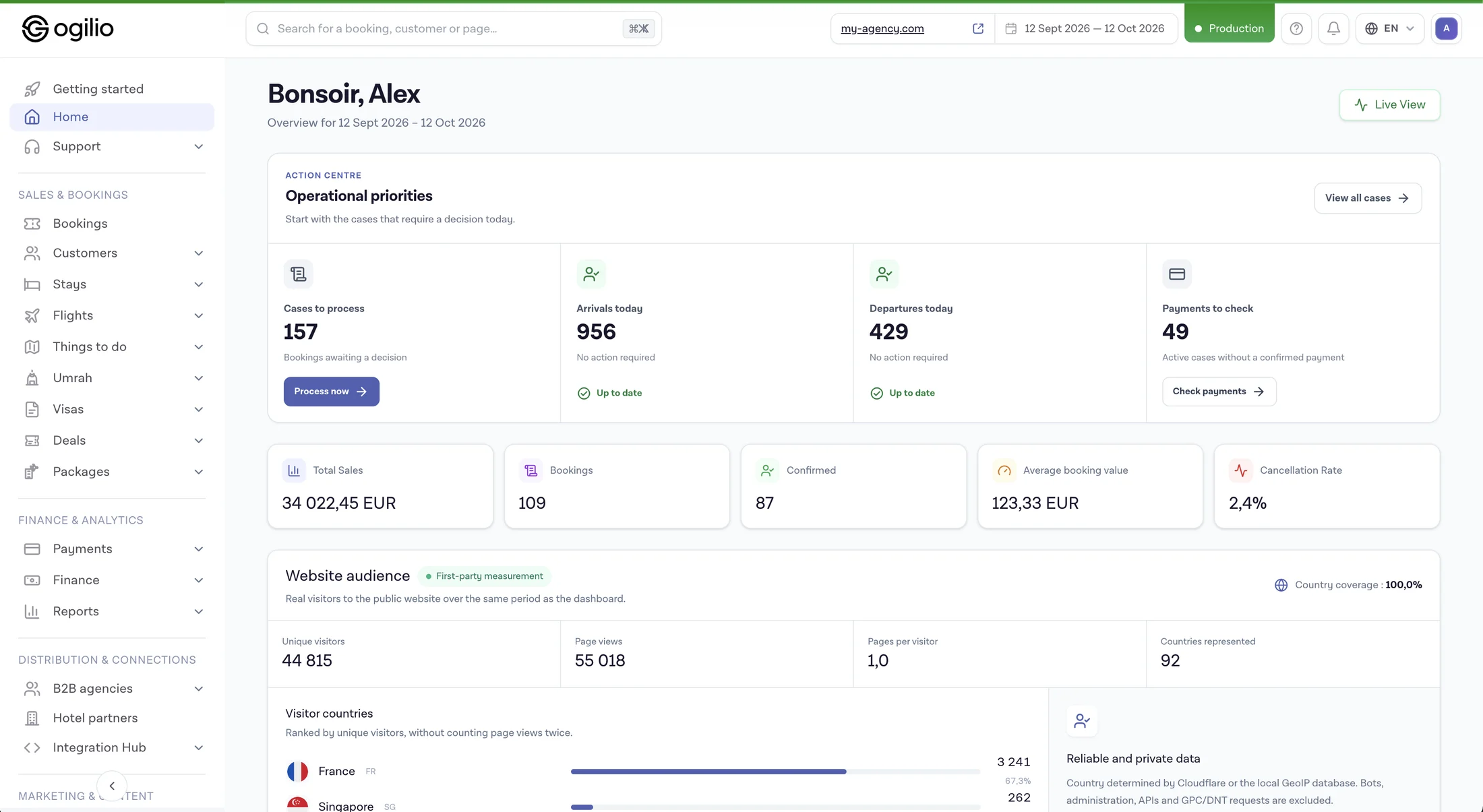 Interface preview · sample data
The challenge
The Ogilio approach
Use your agency identity across the public booking experience, including the domain and visual settings available in your configuration.
Build the offer around the flight and stay modules that suit your market. Availability and supplier access depend on the connections enabled for your account.
Set up supported payment options for your selling model and keep payment status visible alongside the booking.
Review reservations and their status in the agency back office after a customer completes a booking.
Give your team a place to follow bookings, customers and operational reports.
Start with the modules and supplier access you have approved, then add more inventory as your business is ready.
Features
Keep the customer-facing journey under your travel brand. Confirm domain and design options during setup.
Let customers explore the products made available through your active flight and stay connections.
Connect the product selection to a reservation and confirmation process, subject to the module and supplier rules.
Track the outcome of configured payment methods with the corresponding reservation.
See booking details and work through the follow-up tasks in the back office.
Use reporting views to review orders and payment states instead of relying on storefront traffic alone.
Explore the product
An online travel business needs a customer-facing site and a team workflow after checkout. These are the parts to inspect in an Ogilio demo.
Set up the public experience under your agency identity. Domain and design options are confirmed during configuration.
Flight and stay modules have their own product workflows. Live inventory depends on the supplier access enabled for your account.
Review the reservation and payment status in the agency workspace. Confirmation and fulfillment rules depend on the product and supplier.
Supplier connections and payment methods require configuration. The dashboard preview on this page uses sample figures.
Actual demo screens
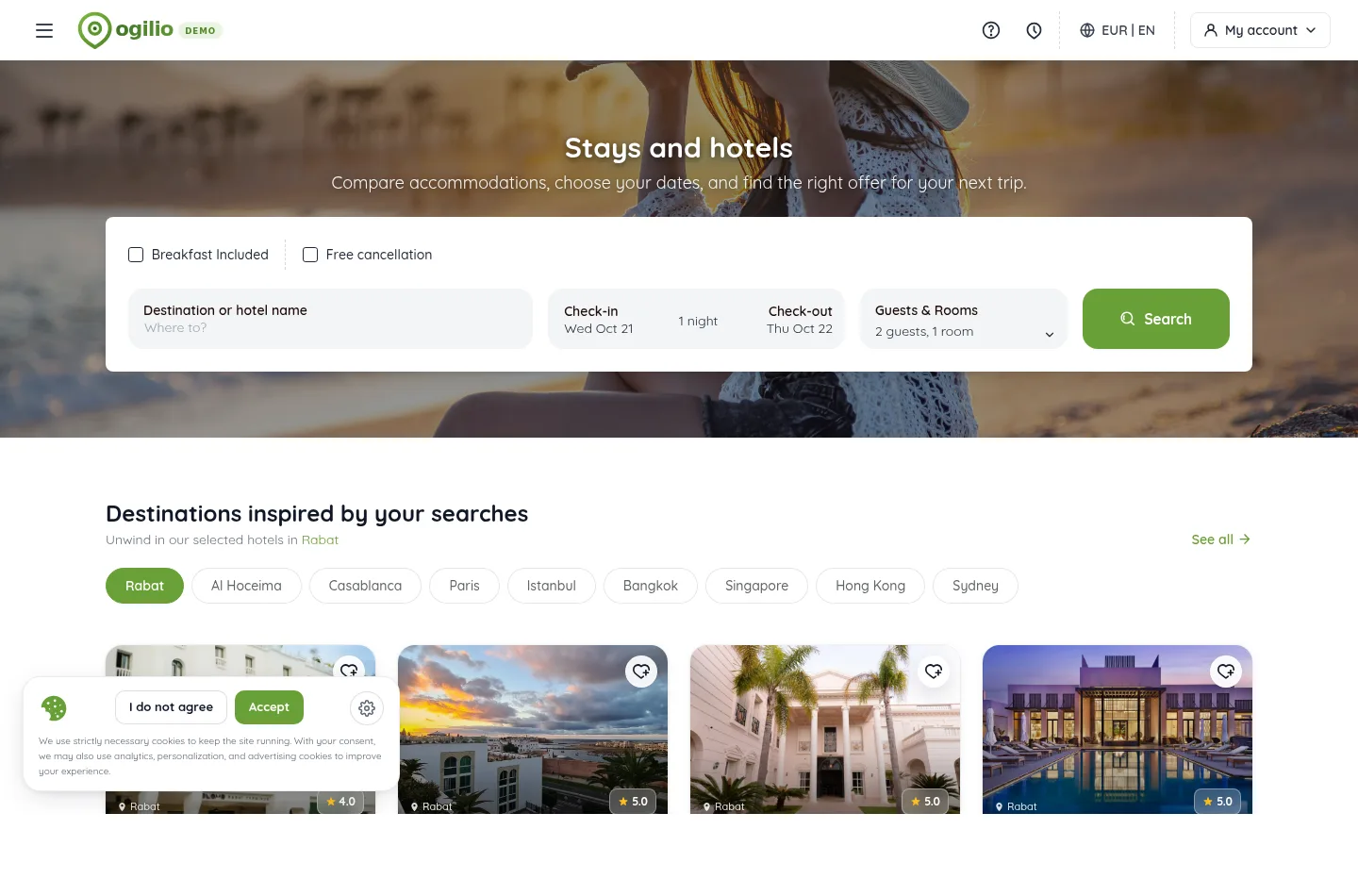
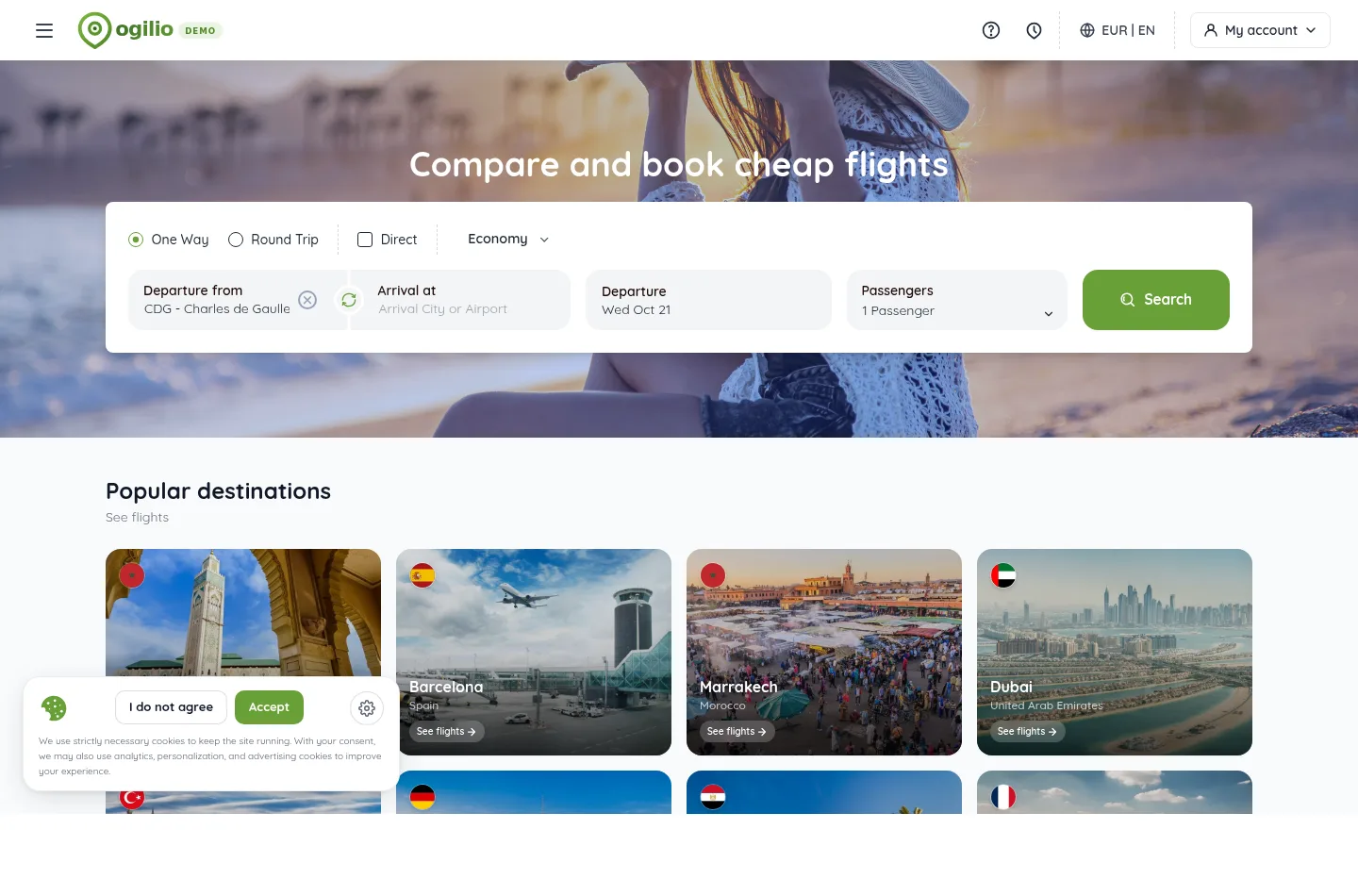
These are captures of the public Ogilio demo. Booking completion, inventory and supplier terms must be demonstrated for your own account.
Before launch
Use the current plan grid and a written supplier scope before promising online sales.
Starter, Pro and Business have different booking and supplier limits. Packages and B2B agencies are listed from Pro; AI agents are listed for Business.
Each flight or stay connection may require credentials, activation, approval and a separate commercial agreement.
Confirm gateway availability, currencies, settlement, supplier confirmation and responsibility for changes or refunds.
Set domain and brand, then test a complete customer journey and the team’s booking follow-up with demonstration data.
Use cases
Launch a dedicated booking experience after defining your market, supplier access and payment setup.
Offer an online booking path alongside the services your agency already sells.
Present the modules and inventory relevant to a destination, audience or travel category.
Give staff a back-office view of reservations that originate on your branded site.
Why Ogilio
Choose the name, visual identity and domain you want customers to see.
Confirm which travel modules and supplier accounts can be activated for your agency.
Check the supported gateway, currencies and settlement arrangements for your market.
Assign who handles changes, customer questions and supplier follow-up after purchase.
FAQ
It is an online travel booking experience presented under your own brand while a platform provides the underlying booking and administration tools.
Ogilio supports a branded public experience. Confirm the domain, logo and design options available for your account during setup.
Ogilio has flight and stay modules. The products visible to your customers depend on the modules, supplier connections and account permissions you enable.
Supplier access is a separate setup question. Available connections, commercial terms and approval requirements depend on each supplier and your account.
The checkout uses payment methods configured for your account. Gateway availability, currencies and settlement terms should be confirmed for your market before launch.
Your team can review the reservation and its status in the back office. The exact confirmation and fulfillment steps depend on the product and supplier.
Yes. An existing agency can add a branded online booking path. If your main need is customer follow-up and daily operations, see Ogilio travel agency software.
Timing depends on brand configuration, domain, supplier access, modules and payment setup. A demo can help scope those steps for your agency.
Ogilio
Tell us which products you want to sell and where you operate. We can review the modules, connections and setup your brand needs.
Open a ready-made question about the platform, plans and possibilities for your travel agency. Then check the details on the official website.


