


Present your agency brand
Use your agency identity across the public experience. Domain and design options are confirmed during configuration.
Ogilio booking engine
Put your agency brand on the search and booking journey. Configure the products, supplier access and payment options available to your account, then manage reservations in one workspace.

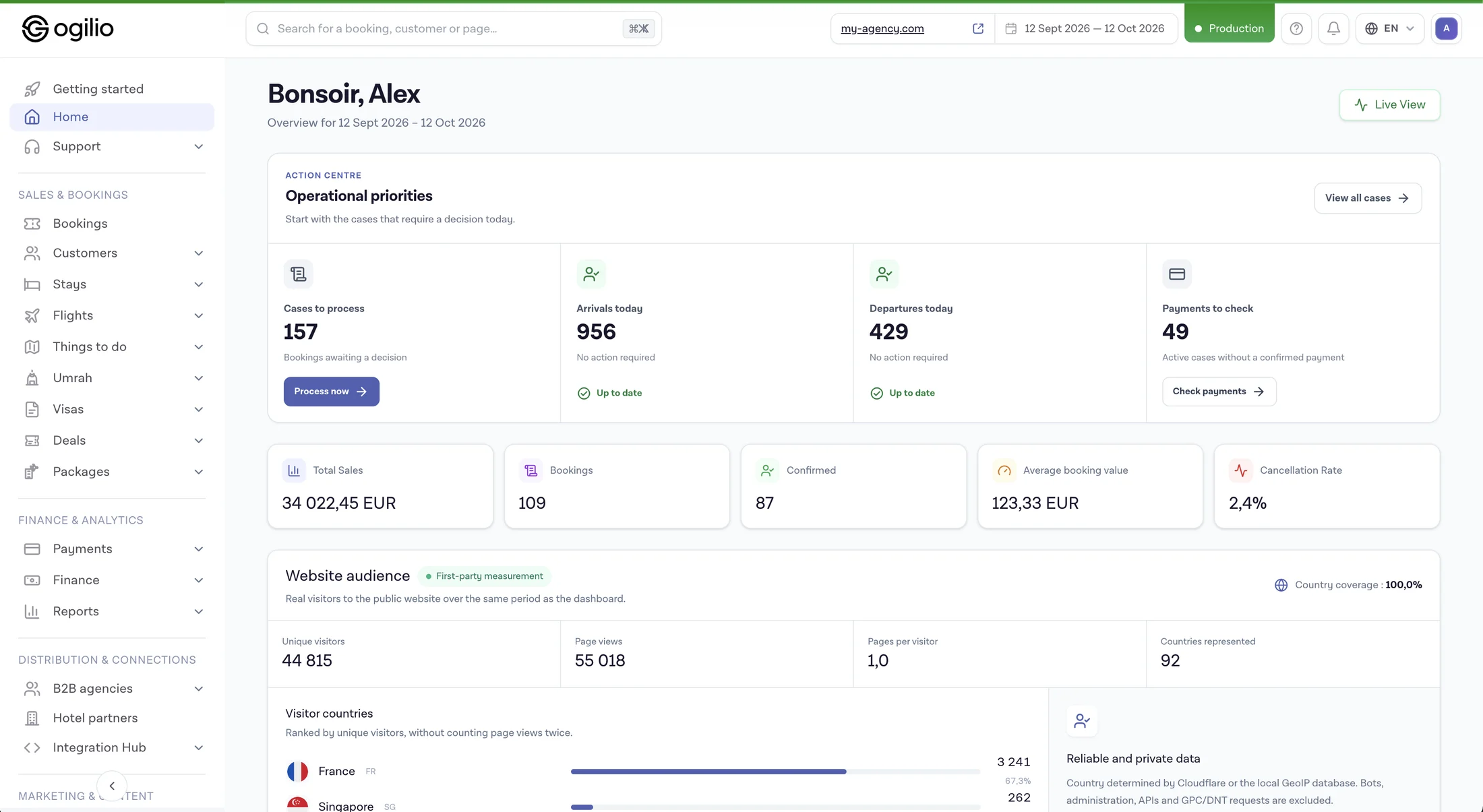 Interface preview · sample data
Before you launch
A customer-facing booking site is only one part of the job. Your agency also needs to decide which products it can sell, how live inventory is connected, which payments are supported and how the team handles a reservation after checkout.
Ogilio offers a hosted starting point for that workflow. Explore Ogilio Flights and Ogilio Stays, then confirm the supplier connections and setup your agency needs in a product walkthrough.
The Ogilio approach
Use your agency identity across the public experience. Domain and design options are confirmed during configuration.
Explore the flight and stay modules. Live inventory depends on the supplier access enabled for your account.
Review booking and payment status in the agency workspace. Confirmation and fulfillment depend on the product and supplier.
THE BOOKING WORKFLOW
Configure the customer-facing experience around your brand. Review the available domain, logo and design settings during setup.
Show customers the flight options available through the suppliers connected to your agency account.
Offer hotel search and booking through the stay inventory enabled for your agency.
See bookings and their status in the agency workspace after a customer completes a reservation.
Set up supported payment methods for your selling model and keep payment status visible alongside the booking.
Use customer records and activities to organize the team's follow-up around enquiries and bookings.
USE CASES
Present a branded booking journey while your team handles reservations in the agency workspace.
Start with the modules and supplier access approved for your account, then discuss additional inventory as your offer grows.
Connect the public booking experience with customer records and operational follow-up.
Review the required roles, payment flow and supplier access with Ogilio before configuring your launch.
COMPARE THE APPROACHES
A custom implementation needs separate design and domain work.
Agency branding options are configured during setup.
Connections require agreements, credentials and testing.
Available inventory depends on the connections enabled for your account.
Gateway and checkout rules need implementation.
Supported payment options are configured for your selling model.
The back office must be built or connected.
Review reservations and payment status in the agency workspace.
Timing depends on product, integration and approval work.
Timing depends on your domain, suppliers, payments and configuration.
PRODUCT WALKTHROUGH
See how search, selection and checkout can appear under your agency identity.
Check the flight and stay modules and identify the supplier access required for your offer.
Follow a demonstration reservation through status, payment and team handling.
Review published pricing and confirm the modules, supplier agreements and payment methods your launch requires.
FREQUENTLY ASKED QUESTIONS
It is a booking experience that an agency presents under its own brand while using a software platform for the underlying search, checkout and reservation workflow. The exact branding and domain options should be confirmed during setup.
Confirm your domain and visual settings, the products you want to sell, supplier access, supported payment methods and the team process for handling reservations. Timing depends on these requirements.
Ogilio has flight and stay modules. The inventory available to your agency depends on the supplier connections enabled for your account.
Supplier access depends on the connections and agreements available for your account. Review the exact requirements for each product with Ogilio before committing to a launch date.
The agency workspace includes reservation and payment status. Confirmation and fulfillment details vary by product and supplier.
Ogilio supports agency branding options. Confirm the domain, logo and design settings available for your configuration during a demo.
Discuss your sales model, staff permissions, inventory and payment needs in a product walkthrough. The available setup depends on the modules and agreements enabled for your agency.
See Ogilio's published pricing page for plans and inclusions, then confirm any supplier, payment or configuration requirements for your account before subscribing.
Ogilio
Review your brand, product modules, supplier access, payment setup and reservation handling in a walkthrough. Then choose a plan or create your agency account.
Open a ready-made question about the platform, plans and possibilities for your travel agency. Then check the details on the official website.


